Quand un prospect demande à ne plus être appelé, il faut que toute l'équipe le respecte. La liste d'opposition s'en charge. Les noms, emails et numéros visibles sur les captures sont fictifs.
Step 1: open the list
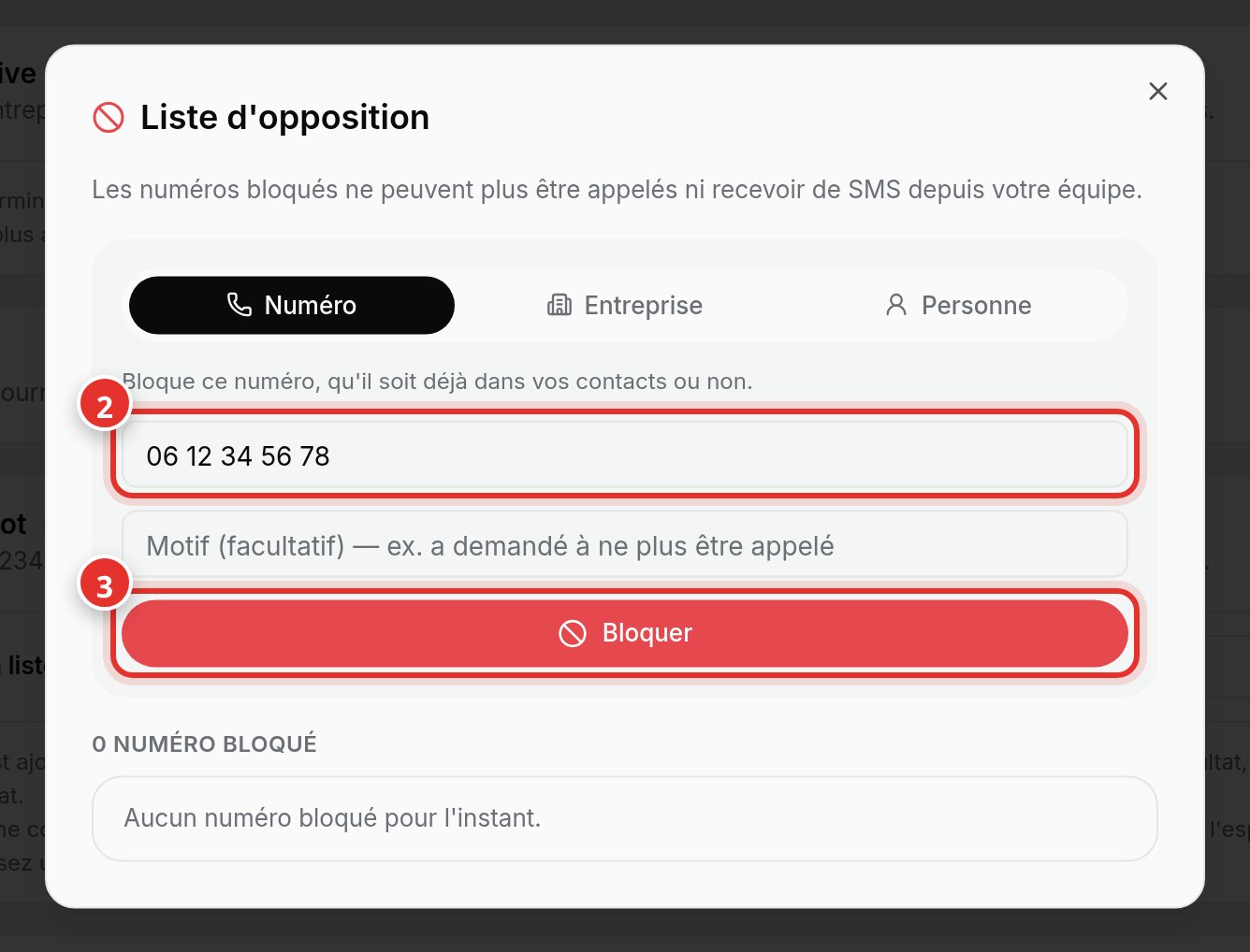
In Contacts, click Opt-out List at the top right. Choose what to block (1): a Number, Company, or Person.
Step 2: block
Enter the number (2) in 06... or +33... format, add a reason if desired, and click Block (3). The number is blocked whether it is in your contacts or not.
- A blocked number can no longer be called or messaged by your team.
- It is automatically excluded from future contact imports.
- With a connected CRM, the Do Not Call field may sync depending on the tool.