Vitecall vous prête un numéro pour démarrer. Vous pouvez aussi appeler avec le vôtre, ou en demander d'autres. Tout se passe dans Configuration, onglet Numéros. Les noms, emails et numéros visibles sur les captures sont fictifs.
Three ways to add a number
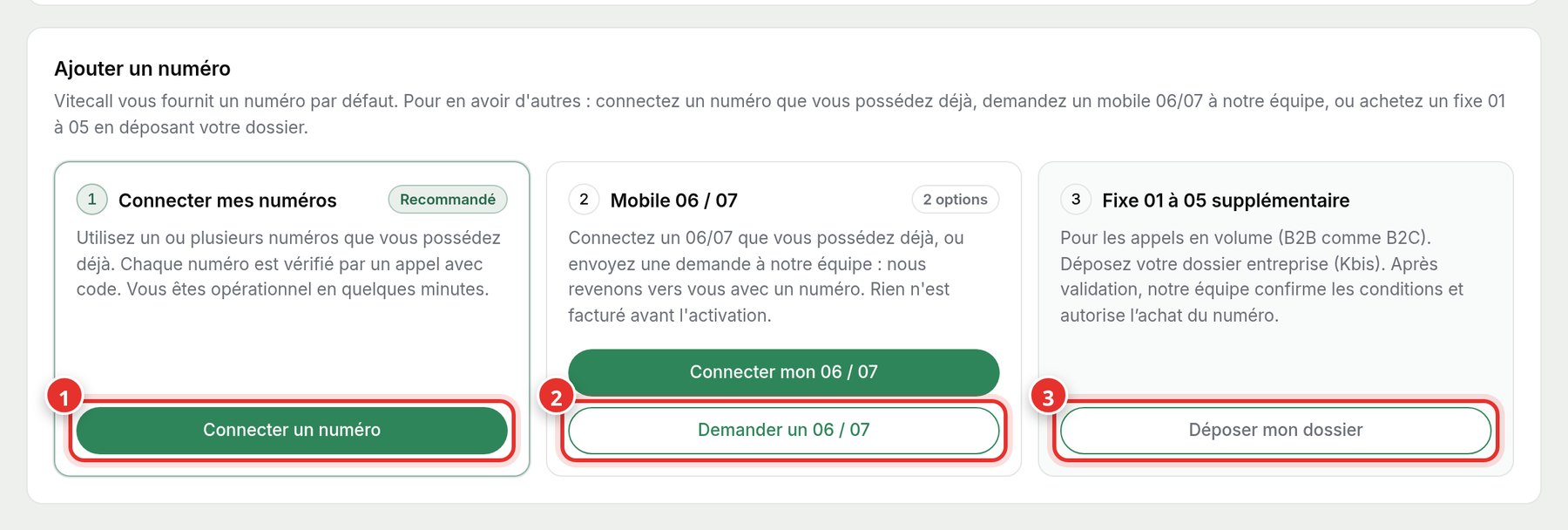
- 1Connect a number (1): The fastest way. Use a number you already own, verified via a phone call with a code.
- 2Request a mobile (2): Send a request, and our team will get back to you. Nothing is billed before activation.
- 3Submit my file (3): For an additional landline. After your company file is validated, the team confirms the terms.
Connect your own number
Enter your number (1), name it if you wish, then click Receive verification call (2). Answer and follow the instructions: the number is added to your account in minutes.
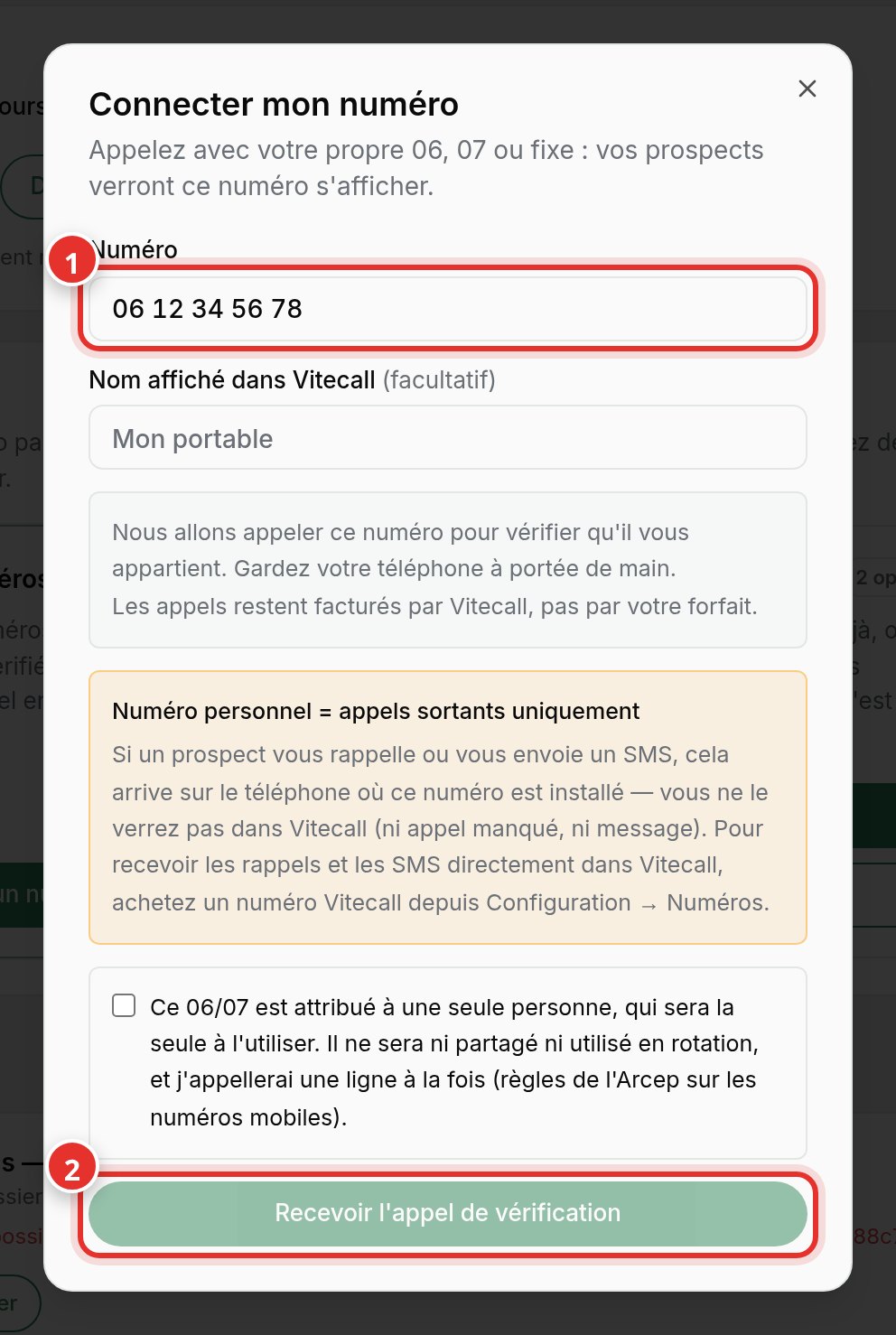
With your own number, callbacks and SMS from prospects go to your phone, not Vitecall. To receive them in Vitecall, request a Vitecall number.