Pour un rappel rapide hors session, le clavier suffit. Les noms, emails et numéros visibles sur les captures sont fictifs.
Step 1: open the keypad
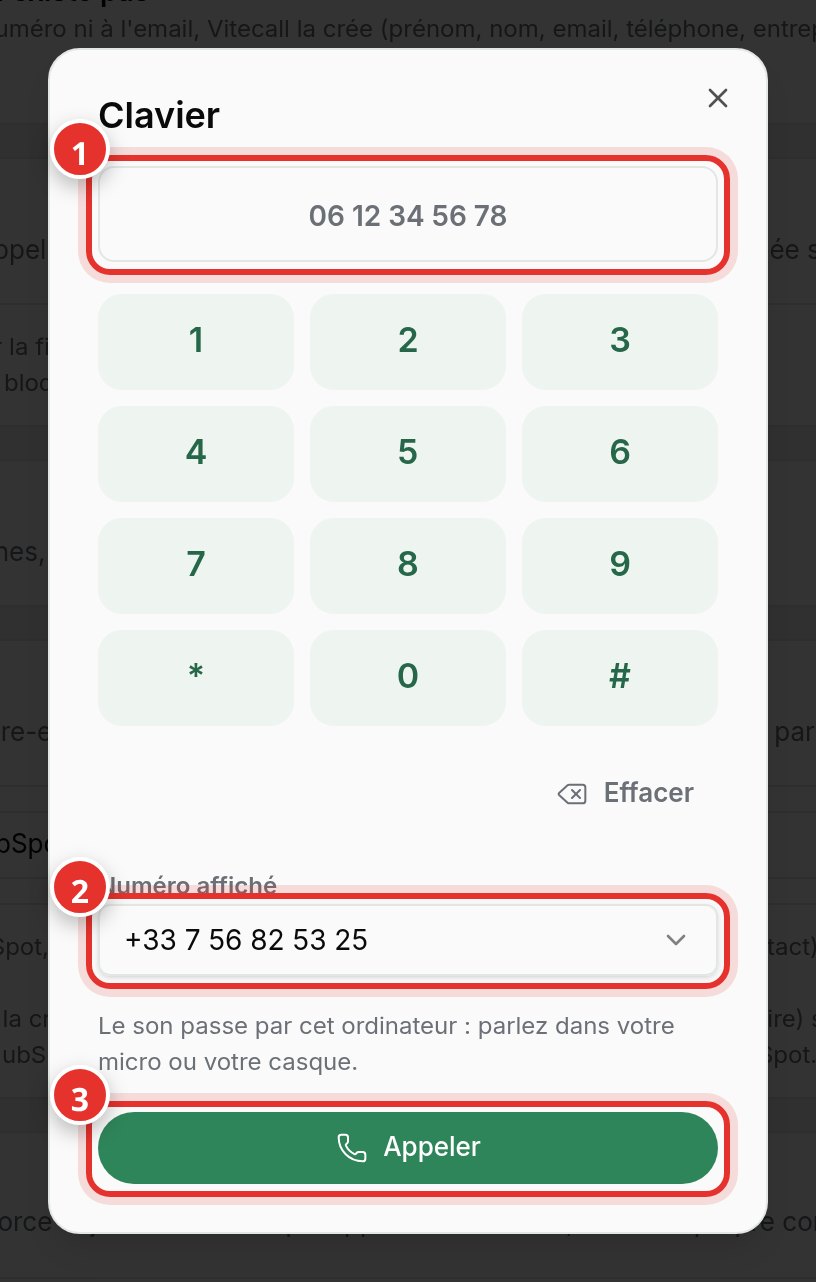
At the bottom of the left menu, click Keypad. Type the number (1) or paste it.
Step 2: choose caller ID and call
Select the number the recipient will see (2), then click Call (3). Audio goes through your computer: use your mic or headset. Allow mic access if prompted by the browser.
After the call
A window prompts you to select the outcome and write a note. If the number matches a contact, the call is linked to their record and synced to your CRM. During the call, the Record button in the call bar reopens the contact card.