
Un SMS après un appel manqué ou pour confirmer un rendez-vous : la page SMS regroupe tous les messages envoyés depuis vos numéros. Les noms, emails et numéros visibles sur les captures sont fictifs.
Step 1: choose the number
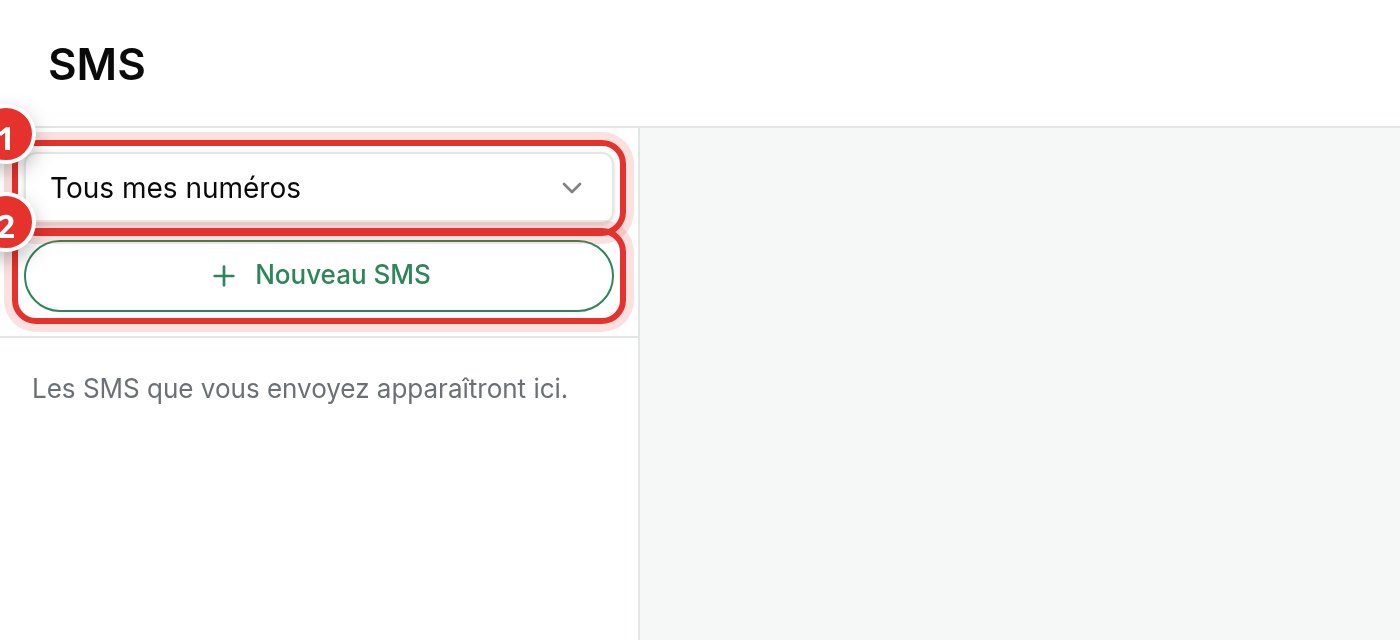
In the menu, click SMS. The selector (1) shows one or all your numbers. The SMS is sent from the selected number: the prospect can reply or call back to that same number.
Step 2: write the message
Click New SMS (2), enter the recipient's number, write your message, and send. The conversation then appears in the left column.
- A number on the opt-out list cannot receive SMS messages from your team.
- Keep it brief and introduce yourself: name, company, reason for the message.